


SpixForExcel *
Complete your Excel forms and Excel checklists by voice in the field, hands-free, offline, anywhere, anytime.
SPIX industry offers the first No-Code assembly solution for its SPIX voice assistant to create a voice experience around the use of Excel .
The problem to be solved
” The industry is still Excel-dependent “… who hasn’t heard that remark at one time or another? Indeed, 54% of manufacturers still use Excel in addition to their MES , QMS , FSM or CMMS tools.
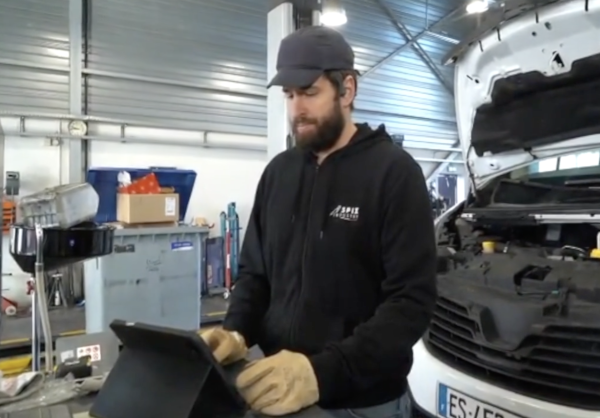
However, using an Excel spreadsheet is not always compatible with the constraints of field operations : the cells are too small, the tablets are too heavy, you have to keep your gloves on, the mouse is clogged, … .
So what do we do?
The SpixForExcel solution for industry
SPIX’s AI-speech plugin for Excel is designed for industrial use.
Using intelligent validation solutions for multiple fields at the same time, groups of data, or multiple selections in the same voice sequence.
It uses existing XLSX files , without modifying the structure or changing the data streams.
It does not require any modification to existing business logic . All business rules, intermediate calculations, and formulas are preserved and remain active.
Multimodal use of keyboard, mouse, and voice is transparent to the user.
Leveraging SPIX SKILLS to fill and manipulate all typed fields in Excel: selection from lists, numeric measurement , alphanumeric reference , free text , date and time, checkbox , photo , …
Using business accelerators to navigate by voice within a page, or between named data blocks.

- Everywhere : 100% offline operations (no network, no cloud)
- All the time : PC or tablet placed next to it, mode with or without screen ( NoTouchNoScreen )
- Safety : no need to remove gloves or PPE
SpixForExcel: a 100% No-Code configuration studio
SPIX’s AI-speech plugin for Excel can be configured without a single line of code: perfect for the methods department !
Simple and visual validation of the SPIX voice interface configuration using a color code.
Automatic saving of the SPIX voice interface configuration, without changing the file name, without additional files.
What are the right questions to ask?
3 questions about your Excel spreadsheets and your field operators
– How much time was spent filling them out?
– Can they be filled while wearing gloves ?
– How many years do I need to maintain them?
If your answers are: >15%, No and >4
So we really need to talk!

A fast and clear Return on Investment (ROI), no hidden costs

Time saving
Save 100% of the low-value time spent transcribing field data into Excel.
Increase field operations productivity by 25% .

Simplicity
Simplify access to to Excel spreadsheets for your field operators: fill out forms and checklists while keeping your hands free .
Avoid Excel being rejected on the ground, deemed too complex.

Security
Leverage a frugal , offline , embedded voice AI solution to ensure the security of your industrial data , without changing your current configurations.

Seamless integration
Integration without IT development: no-code configuration of your existing Excel files, no change in architecture, no modification of your IS.
SpixForExcel offers a natural voice interface to reconcile your field operators with measurement tables, forms and intervention reports .

Relevant use cases
(*) Excel is a Microsoft product. SPIX industry does not wish to modify or claim Microsoft ‘s trademark rights to the Excel product. SpixForExcel and Excel remain technically independent solutions.