
From Office Use of LLMs to Field Use: piece of cake?
How easy is it to bring AI use from desk situations into industrial operations environment.
André JOLY, SPIX industry – October 2026
andre.joly @ spix-industry.com
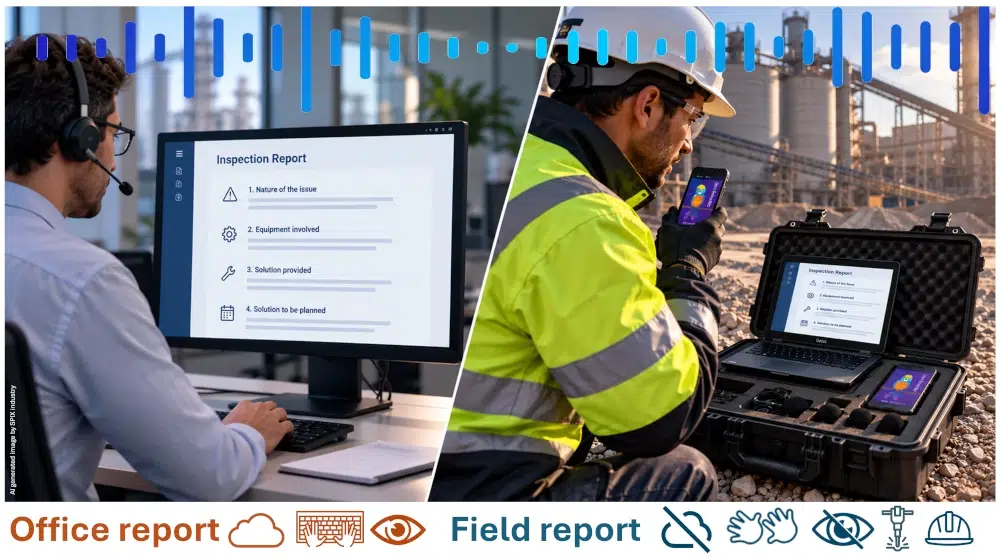
One of the most practical uses of Large Language Models (LLMs) in industry is the automatic generation of technical documents, intervention reports and meeting minutes. In the office, the workflow is straightforward: an employee records or types information, the LLM structures it, summarizes the key points and produces a professional document. Consequently, shadow (non-official) or validated LLMs are widely used in the industry for this purpose, from engineering to support functions and buyers.
In principle, such nice function is particularly attractive for field operations as well. A worker can describe what happened while inspecting equipment, and the system can transform those spoken observations into a structured technical report. Fantastic, why don’t they have access to such function today? It looks like moving this apparently simple workflow from the desk to the field introduces several significant challenges…
The question we ask:
Is it “fingers in the nose” to move these functions to the field operations?
Connectivity is the first constraint
Voice-to-text and LLM processing are often cloud-based. In an industrial facility, however, network coverage may be unreliable or unavailable in certain areas. A field operator cannot necessarily stop his process because the AI cannot reach the cloud.
A field solution therefore needs to tolerate intermittent connectivity. Audio should potentially be captured locally, transcription and report generation performed on the edge when necessary, and information synchronized with central systems once the connection is restored.
Whenever the report needs to be validated locally, close to the incident with all the stakeholders for example, then a 100% offline and real-time solution is needed. Quite a challenge!
This changes the architecture considerably compared with a typical office solution. The IT of the industry is not always ready for this.
Confidentiality becomes more critical
Technical discussions, memos and incidents reports can contain highly sensitive information: issues with equipment, production data, customer information, engineering details or information about safety. Sending a voice recording to an external cloud service may therefore be unacceptable for some industrial organizations.
Confidentiality must be considered at every stage: where the voice is recorded, where it is transcribed, where the LLM processes it, and where the generated report is stored. For such cases, shadow LLMs are the worst solution… even if one can see then in use in many industries.
For some applications and specially on the field, on-premises, edge or fully embedded processing may be necessary, even if this means accepting a smaller AI model or more limited functionalities.
Hallucinations are not an option
On the field environment, an LLM cannot be allowed to invent information. A wrong statement in a technical memo or intervention report may be more than an inconvenience: it can lead to an incorrect decision, equipment damage or a safety risk.
When transforming voice into a technical document, the Voice-AI and LLMs solutions must therefore remain grounded in what was said or documented. It should distinguish facts from assumptions, identify uncertainty when audio (noise issue) or information (workers expressions) is ambiguous, and never fill gaps with plausible but unverified information.
The objective is not simply to generate a well-written and well-structured report, but a report that can be trusted, verified and traced back to its sources.
This required specific configuration and validation of the AI solution that wants to qualify for deployment in such harsh industrial environment.
Noise makes voice under pressure
Voice input is extremely convenient and reliable in a quiet office. Reaching the same level of reliability is much more difficult next to a turbine, compressor, construction site or production line.
Industrial noise can interfere with speech recognition, while several people may be speaking simultaneously during a meeting or intervention. Technical terminology, equipment names and acronyms create additional challenges for generic speech-recognition systems.
The solution is not simply a better microphone. It may require industrially adapted speech models and vocabulary specific to the site or industry. Such adaptation is not always possible with cloud based LLMs. On-Premises or edge models can be adapted, making sure that such fine tuning never becomes public to other models training.
Gloves and PPEs are part of the user interface
Field operators also interact with technology very differently from office workers. Gloves, helmets, safety glasses, hearing protection and other PPE can make conventional keyboards, touchscreens and headsets difficult to use.
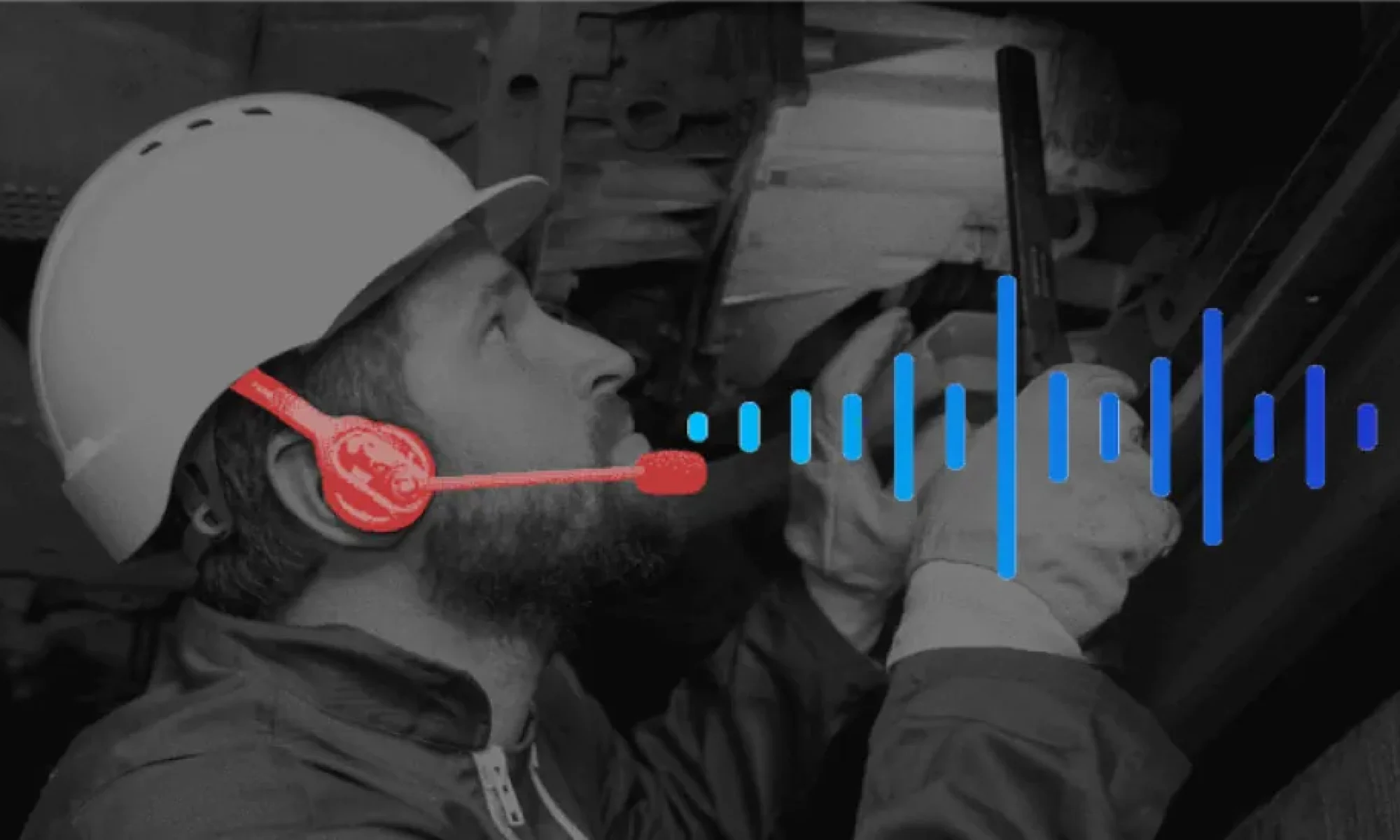
Voice is therefore potentially an excellent interface — but only if the microphone can work with the required PPE and if the operator can interact without compromising safety.
The ideal system should allow the field operator to speak naturally, perhaps using a headset or wearable device, without requiring them to stop their work or manipulate a screen.
The generation of a structured incident report, keeping his hands and eyes free constitutes a significant challenge for a field operator. Have you already tried to synthetize all your thoughts in one fluid voice comment?
Change management and training of the site workers is mandatory to get relevant results, whatever the AI technology is used behind.
And the hardware must survive the field
Finally, the AI system is only as useful as the hardware supporting it. Industrial equipment may be exposed to dust, water, vibration, impacts, extreme temperatures, sunlight and electromagnetic interference. Batteries must last long enough for an entire shift, and devices must remain usable while wearing gloves.
This creates a significant difference between deploying an LLM on an office laptop and deploying voice-based AI in the field. The challenge is no longer only software. It becomes a combination of AI, acoustics, connectivity and ruggedized hardware.
The more robust and powerful the hardware, the more expensive it can be. Hence, the equation is not only a technical one but becomes also an economic decision.
One needs to find the best tradeoff between efficiency and traceability of the field operations, and the necessary investment.
Conclusion
The opportunity of making Voice-AI and LLMs usable on the field is considerable. A field operator who can simply describe an intervention by voice, receive a structured, technically accurate report and validate it, can eliminate a significant amount of low-added-value time and prevent most of the field information loss.
From the previous discussion, it becomes clear that the objective is not to bring the office reporting tools (LLMs and Voice-AI connected solutions) into the field unchanged. The challenge is to redesign the complete workflow around the constraints of the field operators and find the suitable technologies able to support the constraints on the one side and offer relevant services on the other side.
This is what SPIX industry has made already: moving from impressive AI demonstrations to operational AI solutions. SPIX is already deployed I harsh industrial environment, giving high added value services to the field operators in their daily work.
About
SPIX Industry develops the first 100% industry-dedicated voice AI solutions. The Spix intelligent voice assistant is operational in industrial environments. Through voice integration, SPIX Industry puts operators back at the heart of industrial production with assistants specializing in voice guidance, measurement reading, quality control, and real-time structuring of their technical feedback and knowledge.
Contact point
André JOLY – General Manager
Tel.: +33 (0)6 25 17 27 94
Email: andre.joly (at) spix-industry.com
Legal entity
Website: spix-industry.com
LinkedIn: linkedin.com/company/spix-industry
Simsoft3D SAS – 40 rue du Village d’Entreprises – 31670 Labège (France)
“Voice Experience ”, “ SPIX ” and “ SPIX industry ” are registered trademarks of Simsoft3D SAS.