Excel hands-free: voice interactions and ROI

Excel hands-free:
motivations and ROI

Masha GUERMONPREZ & Dr André JOLY, SPIX industry – September 2026
masha.guermonprez@spix-industry.com and andre.joly@spix-industry.com


This summer, SPIX industry addressed the role of frontline workers in shaping the digital transformation of industry! SPIX is offering a more practical series for the fall: Excel without the hands!

Even if no one wants to admit it, Excel is still the best friend of manufacturers and the worst nightmare of field operators. This new 6-episode series explores the rationale behind using hands-free Excel, the expected benefits, and the potential impact on industrial processes.

The goal is to understand how to generate value by freeing up the hands of operators who use Excel in their daily work.


Excel is software used by more than 50% of manufacturers in France. Even with the deployment of MES, CMMS, ERP, FSM software, etc., Excel still finds its place for simple or complex industrial processes, in large industrial groups as well as in SMEs and mid-sized companies.

In the field, Excel is often used by:

  • production operators;
  • maintenance technicians;
  • quality controllers;
  • logistics specialists;
  • workshop managers;
  • watchman and shift supervisor
  • inventory teams;
  • team leaders.

In this new 6-episode series, SPIX will help you understand the rationale behind using hands-free Excel, the expected benefits, and the potential impact on your industrial processes. In short, how to generate value by freeing the hands of field operators who use Excel daily.

The conclusion is that hands-free Excel leads to increased productivity, quality, and operator satisfaction thanks to more natural and reliable data entry. Hands-free Excel also means less keyboard/mouse manipulation, fewer interruptions, and fewer low-value tasks.


In industry, Excel is widely used to fill out control, reporting, or inspection forms. The basic principle:

  • a “description” box,
  • a “value to be entered” field.
  • all repeated “N” times…

In traditional use , the operator must (often) remove their gloves, find the correct box to fill in with the mouse, and then type the requested information on a keyboard.
On a simple case of reference number: 10 operations.

When using voice commands , the operator keeps their gloves on and speaks the description and the value to be entered in a natural way.
 In the example “Serial number XFW-123-AB”: 1 operation.

The motivation is based on the value generated by SPIX’s voice interface for Excel:

  • fewer task interruptions for the operator, thanks to a smoother integration of the “reporting” part into their workflow.
  • better real-time traceability of field information, because information is recorded as it is done and not at the end of the task or the day.
  • reduction of time spent entering information in Excel, thanks to the simplification of the human-Excel interface (reduction of the number of steps or clicks).
  • interface validated by operators and by industrialists (field and methods office) so that voice in Excel is a useful, usable and acceptable tool.

Testimony : ” Every Excel entry that takes 30 seconds on the keyboard can become a voice action in just a few seconds. Multiply that saving by hundreds of entries per day.


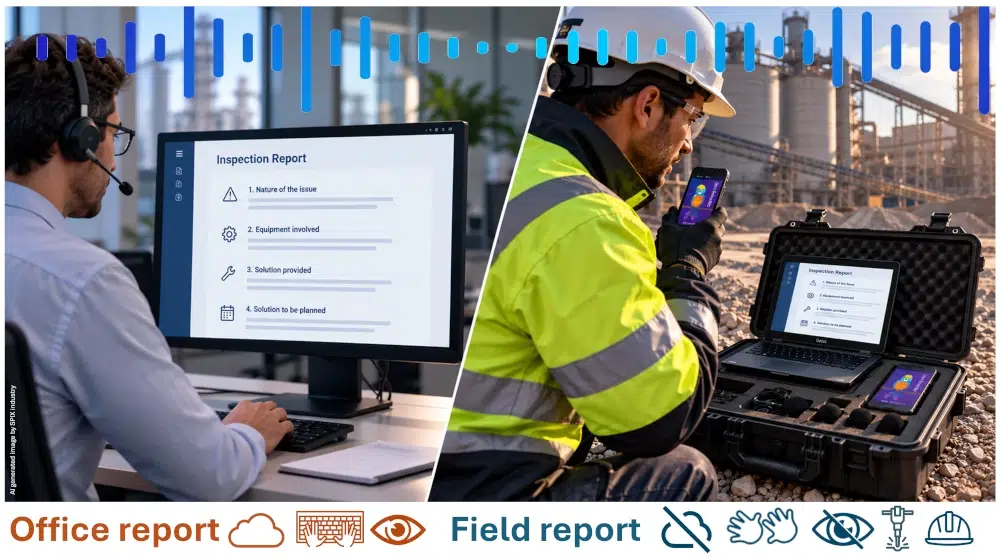
The major difference between someone working in an office environment with Excel on their large curved screen and a field operator is precisely the absence of an office! The consequences for the operational usability of Excel are significant.

Field operators often have their hands and eyes occupied and frequently need to move around. These conditions are highly unfavorable for using software like Excel, which relies on a keyboard and mouse, and viewing a screen. Have you ever tried filling out an Excel spreadsheet on a tablet while wearing gloves?

Using Excel by voice with the SPIX assistant allows you to:

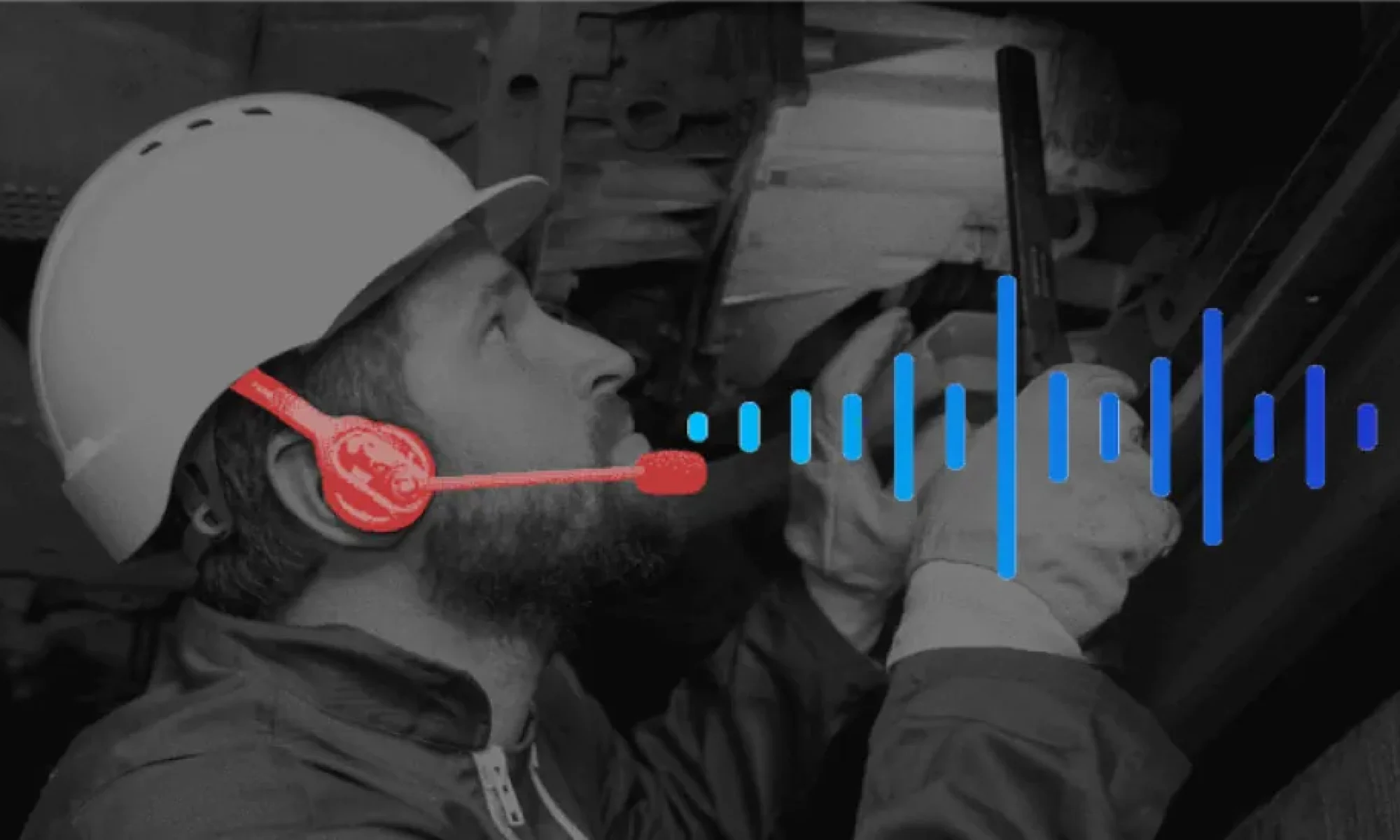
  • Keep your hands free : voice interaction allows you to navigate and complete an Excel spreadsheet by voice, without touching the screen, keyboard or mouse.
  • freeing the eyes to restore freedom of movement : the screen is no longer an imperative constraint, data entry in Excel can be done without visual feedback, by dialogue and voice validation only.

The value generated by the SPIX voice interface for Excel:

  • a time saving in the reporting of field data, thanks to the reduction in the number of trips between the location where the task is performed and the computer workstation.
  • a gain in safety at the workstation, the operator does not need to remove his gloves, and therefore he no longer forgets them next to the computer workstation.
  • improved comfort for the operator, who limits their movements, maintains a working position, and thus reduces the risk of musculoskeletal disorders.

The two previous episodes outlined the motivations and value offered by the SPIX voice interface for Excel. However, this interface is not free; manufacturers must quickly identify benefits to justify the investment.

The gains observed by manufacturers who have already adopted the SPIX voice interface for Excel are:

Field : to enable optimal use of Excel in the field, by removing the classic constraints of mouse, keyboard, screen.

Productivity : reducing the time required to enter information expected in the field, reducing the number of steps to enter information, reducing trips to the computer station, maintaining working posture.

Quality : ensuring the collection of critical field data in real time, eliminating data re-entry or double entry.

Simplicity : no changes to existing processes, no modification of data flows, use of existing Excel files as is (this is the subject of the last 2 episodes!).

Rapid ROI : Optimal use of Excel in the field, increased productivity through time savings on information entry, increased quality of entered information, and the simplicity of deploying the SPIX interface for Excel guarantee a very rapid ROI of the solution.

Installation: 1 month,

Initial earnings: 1 month.

InterlocutorExpected Gain
Industrial ManagementProductivity and time saved
Factory managerStreamlining field operations
Production ManagerLess data entry, more time spent on production
QualityImmediate data entry + traceability + error reduction
MaintenanceHands-free operation + input during the procedure
LogisticsFaster inventories and movements
IT DepartmentEnhancing existing resources without replacing Excel
Financial managementMeasurable ROI
HR / TrainingEase of use and reduced cognitive load
OperatorsLess keyboard, fewer steps, more simplicity

Why are all these gains possible? Because experienced employees are extremely efficient in their jobs but less adept at navigating complex computer interfaces. Voice technology allows them to adapt the computer interface to their natural way of working.

“SPIX for Excel adapts to the operator, rather than the operator to Excel.”


The next 2 episodes are for specialists… a little bit of method and a little bit of process is always good.

We begin with the methods, which required time and expertise to validate Excel forms for specific tasks within the company. These forms contain business logic: critical values, formulas, and validation criteria. This is what we call “business logic.”

One of the obstacles to leaving Excel to move to a “real” MES is precisely the know-how that exists in existing forms.

SPIX offers an approach that combines the best of both worlds:

  • Keep the existing Excel forms, without changing the files, data flows, or validation criteria.
  • Add a voice interface , without modifying file structures, while taking advantage of voice interactions with advanced interaction scenarios.

Thus, the methods office retains

  • his Excel files,
  • his models,
  • his paintings,
  • its indicators,
  • its existing processes.

The SPIX voice assistant becomes an interaction layer on top of the existing environment. This interaction layer is made possible by SPIX’s modular, business-oriented SKILLS architecture. Each individual function (taking a measurement, entering a date or reference number, etc.) is structured as a SKILL (voice capability) which has its own dialogue capabilities depending on the environment (with or without visual feedback) and its own speech recognition and synthesis capabilities.

For each cell in an Excel form, a contextual agent allows the association and configuration of SPIX SKILLS according to the data present, without developing a single line of computer code.


As we have seen in the previous 5 episodes, Excel is ubiquitous in industrial companies, but it is rarely designed to be used comfortably while standing, wearing gloves, in front of a machine or in a noisy environment .

We have seen the advantages (numerous), the expected benefits (high!), as well as how to add a voice interface to exciting Excel forms, without remaking or altering them.

Beyond the Excel files themselves, adding a SPIX voice interface does not involve any changes to existing validation processes or data flows.

“SPIX allows you to add a new interface to your existing tools, without disrupting your processes.”

Adding voice interaction capabilities to existing Excel forms allows for a shift from the following field data generation process:

Observe → take the keyboard → search for the cell → enter → check → return to the activity.

to this one, with 3 fewer time-consuming steps:

Observe → Speak → check → return to the activity.

In conclusion, you already have Excel, you don’t want to replace it yet for many valid reasons, but your operators are having trouble filling in the requested information…

Step into the 21st century, add voice interactions to your Excel forms, and regain control of your field data.


SPIX Industry develops the first 100% industry-dedicated voice AI solutions. The Spix intelligent voice assistant is operational in industrial environments. Through voice integration, SPIX Industry puts operators back at the heart of industrial production with assistants specializing in voice guidance, measurement reading, quality control, and real-time structuring of their technical feedback and knowledge.

Contact point
André JOLY – General Manager
Tel.: +33 (0)6 25 17 27 94
Email: andre.joly (at) spix-industry.com

Legal entity
Website: spix-industry.com
LinkedIn: linkedin.com/company/spix-industry
Simsoft3D SAS – 40 rue du Village d’Entreprises – 31670 Labège (France)
“Voice Experience ”, “ SPIX ” and “ SPIX industry ” are registered trademarks of Simsoft3D SAS.

[1] Excel is a software program from the Microsoft company

Putting the Human Back at the Center of the Digital Landscape of the Industry : REX from the Field

Putting the Human Back at the Center of the Digital Landscape of the Industry:
REX from the fiel

Masha GUERMONPREZ & Dr. André JOLY, SPIX industry – June 2026
masha.guermonprez@spix-industry.com & andre.joly@spix-industry.com


There is a special kind of industrial comedy in watching a highly advanced digital system meet a pair of safety gloves.

The software has been specified, thoroughly validated, integrated, demonstrated, commented on in steering committees, and probably celebrated in a roadmap slide with a pie chart. Then reality hits and it is wearing safety gloves, standing in a noisy zone, trying not to drop a tool, lose concentration, break procedure, or remove protective equipment just to tap a microscopic checkbox.

In nuclear decommissioning, nobody seriously argues against digitalization. We now have robotics, artificial intelligence, 3D models and connected systems all over the place and increasingly discussed as part of the future of decommissioning, especially because these environments involve hazardous areas and a strong need for reliable operational data. The IAEA[1] has launched work on innovative digital technologies for decommissioning, including robotics and digital tools for planning, management and dismantling activities.

That movement is necessary, but it is also very incomplete with the operator being treated as an afterthought.

And it is not the lack if ambition we’re blaming here. Everyone can agree that planning better is good. Capturing field data? Good. Improving traceability? More than good in a nuclear context. However, the mess begins when a digital system assumes that the person in the field has the same working conditions as the person who designed the interface.

One has a drill; the other one has a coffee mug.

Because “putting the human back at the center” does not mean writing yet another solemn paragraph about human values and transformation. It means looking at the exact moment where an operator tries to interact with a digital system and asking a rude little question: does this tool make the job easier, or did we just move office work to a shopfloor?

When digital equipment becomes too inconvenient during the intervention, what happens it that the operators may prepare procedures in advance, rely on memory during the task, then generate reports afterwards. And that what happens all the time without people finding it problematic.

But there is a problem here and the one key word you’ve missed is “afterwards”.

A report written afterwards is not necessarily wrong, but it is already one step away from the moment it describes. The operator is tired. Memory starts tidying things up in the brain. Details that seemed obvious ten minutes earlier become vague, especially when the intervention demanded physical attention and situational awareness at the same time.

Nobody needs to be negligent for information to degrade: human beings are simply not perfect recording devices with boots.

This is where human factors stop being a passing phrase in a project document and becomes the center of the system. Human-centered design, as described by NIST through ISO 9241-210[2], aims to make interactive systems usable and useful by focusing on users, their needs and their requirements, while applying human factors, ergonomics and usability knowledge to improve effectiveness, efficiency, well-being, satisfaction, accessibility and safety.

This sounds so obvious, and that is probably why it gets forgotten so often.


A tablet looks neutral until someone tries to use it with protective gloves.

On paper, the operator only must check a box, add a comment, scan a reference or confirm a step. In real conditions, the gesture may require stopping the task, changing posture, unlocking and stabilizing the device, repeating the action because the touch input failed, and sometimes removing or adjusting gloves. The loss is not only time – but attention is also displaced from the work environment to the device.

Worker controlling pumps pressures in chemical industry: gloves are mandatory (image: SPIX industry).

Would the solution be to buy bigger tablets and hope for spiritual alignment between operator and touchscreen? Not really. The better design move is to reduce the number of moments where hands are required at all.For a voice assistant, this means designing NoTouch interaction around the actual sequence of work: open procedure, validate step, dictate observation, confirm value, flag anomaly, move forward.

Where does the digital system steal the operator’s hands? Which steps require manual interaction without adding human value? Which confirmations could be spoken? Which data fields could be captured by guided dialogue instead of typed input?

Industrial technology has a strange habit of becoming theatrical. The vocabulary gets large and the diagrams become increasingly intimidating (while becoming less and less understandable). Somewhere between “digital twin,” “operational AI,” “data lake” and “interoperable ecosystem,” the operator begins to shrink into a little icon wearing a helmet.

However, reducing an operator to a helmet wearing floating head is to miss out on the realities of what operators actually do: they move, listen, inspect, verify, manipulate, communicate and adjust.

They also deal with noise, access constraints, procedural obligations, physical fatigue and equipment that must remain protective. Asking them to become data-entry clerks in the middle of that is not a sign of digital maturity.

Voice assistance becomes interesting precisely because it attacks this exact point of friction.

Not in the domestic-assistant sense, where a cheerful black box keeps on continuously misunderstanding the name of a song you want to play. Industrial voice assistance has a different job. It must understand professional vocabulary, guide structured interaction, support procedure execution, help complete reports, and work under conditions that are far from a kitchen counter.


On the field, the human brain is often used as temporary middleware!

When an operator memorizes a procedure before entering the field, performs the task, then writes the report later, the system is using the human brain as temporary middleware. This can work, of course, and experienced operators do it every day. Yet memory remains exposed to fatigue, interruption, stress, similarity between repeated tasks, and the ordinary erosion that happens between seeing something and recalling it afterwards.

A voice assistant should therefore not behave like a patient chatbot but guide the capture of operational data while the context is still alive.

That requires structured prompts and not just vague conversational flow.

The practical solution is to build field reporting templates as dialogue objects, not as forms read aloud. This is important as the audio channel is very sensitive to informational overload and too much talking can be as distracting as dealing with the cumbersome tablet.

A traditional form says:
“Step 12. Please note if you observe any corrosion, deformation, leakage, obstruction, or no visible anomaly. ”
A good operational dialogue says:
“Any anomalies?” and optionally “Say “more” if you need an example.” 

What we’re trying to do here is to be fast and efficient and not add any more cognitive load.

Of course, voice is not magic, and anyone who says otherwise should be forced to test Alexa next to a compressor. Noise remains a serious design constraint. You have accents, diverse terminology, different confirmation strategies, etc. And that’s where error recovery, user trust and cognitive load all matter a lot. A badly designed voice assistant can become a bureaucratic mosquito, buzzing instructions into an operator’s ear while pretending to be helpful.

In safety-sensitive environments,
almost usable” means simply “not going to be adopted”.

The design work is therefore of crucial importance.

Quality control operation at Vallourec. The worker needs to report hundreds of measured values (image: Vallourec).

Dialogue must be built around real tasks, not around demo scenarios. The vocabulary must match the field, including professional terms, synonyms, units, references and procedural habits. Expert users need speed, while beginners may need guidance.


In operations, connectivity behaves like a little hungry ghost: it appears and disappears!

On many industrial sites, especially in constrained or secured environments, connectivity behaves like a little hungry ghost. It appears, disappears, then returns just long enough to make everyone feel uneasy. A tool that keeps working when the network vanishes is not less advanced than a cloud-dependent one. In field conditions, it may be the only version of advanced that deserves the name.

Offline design means the operator can continue the task without spending time fighting with the network. Data can be captured locally, then synchronized later, and mostly protected against loss. It’s up to the management to adapt to the constraints of the field to generate their Power-BI reports… 

Process management for gloves-box workers in nuclear production plant: no cloud, no network, heavy gloves on and I the box. 100% availability and traceability are mandatory: error and data mismatch due to network issue is not an option!  
image:  Orano, SPIX

A serious REX question follows: what happens to the operator when the network fails?

 If the answer is “the operator waits”:the design is fragile.When the answer becomes “the operator continues, the system stores, and synchronization happens later”:the digital tool finally starts to bring some value.


In industrial work, the cost of screen attention can rise quickly!

In industrial work, attention is a limited resource. A screen asks for visual focus and often demands cognitive switching. That demand may be acceptable during preparation, review or post-intervention analysis; during field action, however, the cost can rise quickly.

Research on voice user interfaces in manufacturing logistics identifies hands-free and eyes-free interaction as an important benefit, because operators can interact with the system without monopolizing their hands or visual attention[5].

Is our solution ready to put “voice everywhere”?

A thousand times no, that would be lazy and possibly unbearable. The smarter choice is to map work moments by attention type. Some moments are suitable for screen-based review. Others are better handled through voice confirmation. A few should probably remain completely free of interaction because the operator needs full concentration.

For SPIX industrial voice assistance, the design work should therefore start with a simple classification:

Look-free moments: the operator can speak but should not look at a screen.

Hand-free moments: the operator can answer but should not manipulate a device.

Silent moments: the operator should not be disturbed by the assistant.

Review moments: the operator can safely check, correct or validate on screen.


A good voice interface does not add another object to manage – it changes the relationship between the operator and the digital system.

A literature review on voice user interfaces in manufacturing logistics identifies hands-free and eyes-free interaction as a major advantage, because hands are not required to operate the interface and the field of vision remains available[6]. In industrial work, it is the difference between attention staying on the task and attention being pulled toward a screen at the worst possible moment.

Sample SAP interface dedicated to quality control. One can realize how useless voice can be to complete such form, without a strong and robust dialog flow, adapted to the worker’s jobs and to such interface.(source web, nothing against SAP).

Have you ever notices how screens are greedy? They ask for eyes, hands, posture, precision and a lot of attention. They also ask for gloves to be frequently removed or adjusted so that a field operator can interact with a device which can be a violation of a safety protocol. Once again, conventional tools can push operators toward memorization and delayed reporting when the field environment makes real-time digital interaction impractical.

First, the system should speak the operator’s language, including business terms, equipment names, units, references and accepted synonyms.

Second, the assistant talking should be reduced to minimum. The attention of the user is already all over the place and he shouldn’t be concentrated on listening to dropdown lists.

Third, error recovery must be designed as normal behavior. The operator should be able to correct, repeat, cancel, skip, resume and ask for help without falling into conversational quicksand.

Fourth, the expert and beginner modes should not be cosmetic. An experienced operator may prefer shorter prompts and direct commands, while a novice may need guidance, reminders and explicit sequencing.


Are the field operators resistant to change, or their digital tools badly fitted to their work?

When operators avoid a digital tool, the reflex is sometimes to say they are resistant to change. That explanation is comfortable, because it makes the user the problem.

A less flattering possibility is that the tool is badly fitted to the work. If the interface requires too much attention, fails in noisy conditions, misunderstands professional vocabulary, depends on network coverage, or slows down experienced users, adoption will not be solved by posters, training sessions or a motivational internal email titled “Let’s go digital together.”

As the fox finally adopts the boy[7], not only through advertising but with real mutual understanding and comprehension (image: Le Petit Prince)

Testing does not only consist in communicating about the tool, making its promotion. It is about working and improving together on the shopfloor. And, bear with me: testing should include PPE, background noise, time pressure, interruptions, poor connectivity, real terminology, ambiguous answers, and operators with different levels of experience (and different accents).

A good REX protocol could measure:

Completion rate of the procedure or report;

Number of corrections needed after the intervention;

Time spent interacting with the digital tool;

Perceived cognitive load;

Operator trust in the assistant;

Situations where the operator prefers screen, voice or no interaction;

Failure cases caused by noise, vocabulary, timing or workflow mismatch.


By now, the pattern is clear enough to start designing against it.

A field-compatible voice assistant should begin with the operator’s constraints rather than the software’s architecture. That means it should work when hands are occupied, when eyes must remain on the task, when gloves make touch interaction hazardous, and when the network decides to take some time off. It should help operators capture structured data while the situation is still fresh, without transforming every intervention into a memory competition.

The first practical principle is minimizing attention theft. Every prompt, confirmation and instruction should be judged by how much attention it removes from the task. A voice assistant that constantly interrupts is not safer than a screen, it is simply another way to be distracted.

The second principle is designing for degraded conditions first. Noise, offline mode, PPE, stress, repetition and fatigue should not be edge cases – in industrial environments, they are often the normal plot.

The third principle is making the dialogue operational, not conversational. The goal is not to create a charming personality, because the operator rarely needs a banter while inspecting a valve. They need clear prompts, reliable recognition, error correction and steady progression.

The fourth principle is separating guidance from control. Beginners need scaffolding, while experts need speed. A single rigid dialogue will frustrate one group or endanger the other by encouraging workarounds.

The fifth principle is testing the system in its environment. The edge cases are the principal cases in the industrial context. That may be the least glamorous and most important step of the process.


A good digital system should understand that the operator is not sitting in ideal conditions, waiting for a beautiful interface to complete their existence. The operator is working inside a physical, noisy, constrained, sometimes hazardous environment where attention has value and needs to be protected.

If we want to build tools for humans, SPIX will start by looking at the human situation in which the tool will exist. Because that is where the human belongs in the digital landscape: not as a slogan or a helmet-shaped icon in a slide deck, but as the starting point of the design.


SPIX industry develops the first Voice-AI solutions 100% dedicated to industry. The Spix intelligent voice assistant is operational under industrial conditions of use. With the introduction of the voice, SPIX industry puts men and women back at the heart of industrial production with assistants specialized in the voice guidance of operators, measurement reading, quality control, and in the real-time structuring of their technical and knowledge feedback.

Point of contact
André JOLY – Managing Director
Tel.: +33 (0)6 25 17 27 94
Email: andre.joly (at) spix-industry.com

Legal entity
Website: spix-industry.com
Linkedin: linkedin.com/company/spix-industry
Simsoft3D SAS – 40 rue du Village d’Entreprises – 31670 Labège (France)
“Voice Experience “, ” SPIX ” and ” SPIX industry ” are registered trademarks of Simsoft3D SAS.


[1] https://www.iaea.org/newscenter/news/new-crp-deployment-of-innovative-digital-technologies-for-efficient-decommissioning-of-nuclear-facilities-dedicate

[2] https://www.nist.gov/itl/iad/human-centered-technologies/human-factors-human-centered-design

[3] https://www.spix-industry.com/forgetting-curve-traceability-and-the-industry/?lang=en

[4] https://www.spix-industry.com/spix-supports-companies-qse-approach/?lang=en

[5] https://link.springer.com/article/10.1007/s10772-023-10036-x

[6] https://link.springer.com/article/10.1007/s10772-023-10036-x

[7] From the book : « Le petit prince » from Antoine de Saint Exupéry