

The silent failure of digitalization in industry!
In other words, how the digital transformation of industry can be overtaken by a pen!
Masha GUERMONPREZ & Dr. André JOLY, SPIX industry – March 2026
masha.guermonprez@spix-industry.com & andre.joly@spix-industry.com
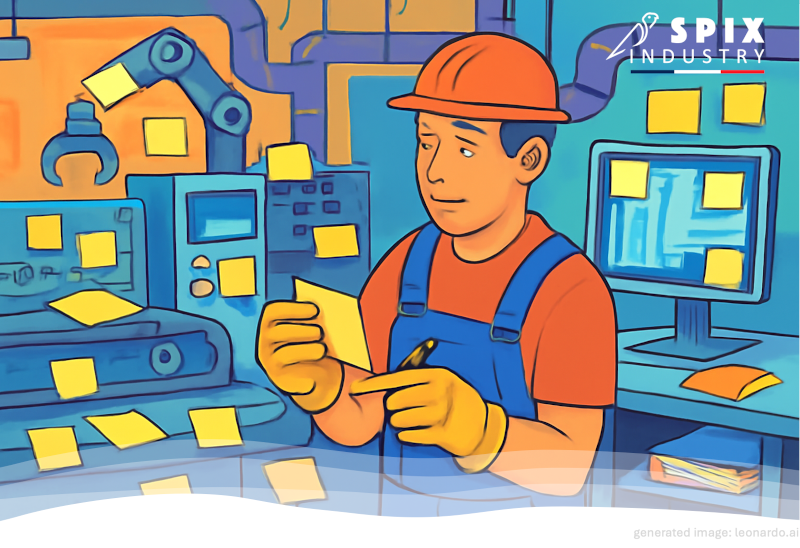
Forget autonomous robots and AI-driven factories . In many factories today, the digital revolution consists of leaving sticky notes everywhere . Ask a line operator what they use most – and it’s almost certainly paper, not tablets, dashboards, or digital workflows.
Throughout this article, we invite you on a frank journey through the realities of the industry, confronting the uncompromising reality of its digital transformation. Finally, a glimmer of hope will emerge after an understanding of the constraints faced by those working on the ground.
The silent failure of digitalization in industry!
This is not an exaggeration. Do you remember the Fourth Industrial Revolution ( or is it already the Fifth? ) that promised us hyper-connected machines, data everywhere, and digital workflows replacing paper records? Well, the reality in many factory workshops is far less futuristic.
Is it because the operators are ” resistant to change “?
Adoption is undoubtedly a problem, but sometimes the reason is more trivial: paper has an incredibly good implementation time, perfect glove compatibility, no connection latency, never asks ” update to continue ” and never freezes on a blue screen with a progress icon that seems to be going backward.
This is a deliberately rough account: more like a workshop log than a glossy digital transformation deck. And yes, there is literature on the subject!
00: Observable reality
the “clipboard constant”
Walk through a factory, a warehouse, a maintenance round, a site inspection and you will see the same pattern:
- The official process takes place in an MES/QMS/CMMS/ERP.
- The real process lives in pockets, pouches, clipboards, taped sheets of paper, and notebooks.
- Tablets and phones exist but are socially ignored .
In controlled experiments, “newer” digital instruction formats do not automatically outperform paper. A German study [1] ( seriously! ) comparing paper instructions to digital instructions for a simple LEGO assembly task found faster completion with paper ( without any advantage in accuracy or ergonomics with the digital versions ).
01: A short autopsy!
Why the “tablet that didn’t stick” ?
Example A – Ergonomics: The tablet has weight; Humans have a neck .
A tablet isn’t just a screen, is it? It’s a load that you hold, look at, stabilize, and read, often while standing, walking, bending, or wearing personal protective equipment.
The human factors recommendations [1] regarding the use of portable devices repeatedly point out the risk of musculoskeletal discomfort related to constrained postures, and specifically note that larger/heavier tablets are less conducive to usability and handling.
And the ergonomic design work for mobile interaction devices in industrial contexts underlines this point unequivocally: good design is not ” paperwork transformed into datasets “, but task-appropriate interaction that supports safe and efficient work [2] .
Translation : If your “digital” tool increases shoulder strain, neck flexion, and posture-related fatigue, operators will avoid it. Paper is lighter.
0:1 for paper !
Example B – UI/UX: your workflow is a maze with strong authentication as the minotaur .
Industrial software stacks tend to operate in layers: ERP + MES + QMS + CMMS + WMS + ” this single access base “.
Tablets often become a thin client for a cumbersome bureaucracy:
- Login → MFA → session timeout → reconnection (with gloves),
- Navigating menus designed for desktop computers (mouse, keyboard)
- Find the right asset / lot / deviation,
- Enter data into forms without a keyboard, in a noisy environment and with an attention span of 40 seconds.
One could simply say, ” Oh, it’s just a bad user interface .” But if we dig a little deeper, we’ll see that it’s a cognitive load plus an interaction cost at the very moment when the work demands physical precision and situational awareness.
The literature on the human factors of Industry 5.0 [1] is explicit on the design of human-centered systems as a pillar of a resilient industry: socio-technical systems must improve well-being and overall system performance , and not just digitize for their own sake.
Translation : When I have to log in with a password that looks like a cat napping on a keyboard to take a note.
0:2 for paper!
Example C – Barriers to digital transformation are only rarely related to “ lack of technologies ” .
A frequently cited obstacle to the digital transformation of industry includes integration complexity, interoperability issues, process challenges, and workforce adaptation. These obstacles are well identified in expert interviews and studied in several research programs [1] .
This research, based on the analysis of digital transformation, emphasizes how organizations block resources, prioritization, and the capacity for change. Indeed, real-world operations are complex and rich in tacit knowledge [2] .
Translation : Even if your tablet’s user experience was perfect, it still has to fit into a socio-technical ecosystem that is sometimes a little chaotic.
Tablet: Paper: no change in score!
02: The technical diagnosis
Most industrial ” digitalization ” projects exploit this strategy:
The paper process → the screen replica → same process, with less flexibility
They preserve the structure of the old workflow (forms, fields, approvals, serial steps), while modifying the physics of interactions (input method, weight, posture, shift in attention, latency). Digital interaction therefore appears less reliable.
Thus, the operators do what any system does when a component becomes unreliable:
They create a workaround.
And paper is their workaround.
The circle of failed digitization is now complete.
03: Why “simply training people” doesn’t work
( and sometimes makes things worse )
Practice and training improve familiarity. It does not fix a 90-second ” connection fee ” paid 40 times a day, a form that requires 12 fields when the reality of the task has 3, a workflow that collapses in case of poor connectivity, or a tablet that turns a 6-hour shift into a weightlifting competition.
Translation : The human factors approach defines this as a design problem: you don’t train people to compensate for poorly adapted tools, you have to rethink the work tool.
04: Notes of hope in the night!
(solutions that survive contact with the field)
Hope 0, the foundation – Building trust, involving teams .
In fact, the pen is 100% a slave to the operator . C’est évident, mais avec de lourdes conséquences concernant l’introduction des tablettes et des systèmes numériques.
Let’s start with an example: site inspection, patrol officer role
- Using a pen, the patrolman marks the checkpoints whenever he wants.
- With a tablet, the checkpoints are time-stamped . Can you feel the difference?
In fact, the feeling you have is the same one that many workers can feel…
Translation : Digital tools must remove a major thorn in the side of operators, greater than the constraints imposed by the perceived enslavement to the digital world.
To overcome this difficulty, the contract must be clear between the decision-makers and the workshop operators:
- The monitoring is for process traceability , not for generating the payslip.
- If extra time is gained, we can discuss what to do with it.
- If the interface is not suitable, we will find alternatives ( voice for example ).
Make a clear distinction between workforce tracking,
and monitoring the excellence of industrial processes.
Hope 1 – Stop digitizing documents. Start digitizing decisions. .
A paper checklist is often a substitute for micro-decisions:
- “Is this tolerable?”
- “Which variant am I building?”
- “What has changed since the last service?”
- “What is the next safe step?”
Digitize them with minimal input, for maximum return:
- auto-filled context (asset ID, batch, station, operator, timestamp),
- constrained choices instead of free text entries
- Exception flows first (only ask for details when there is a deviation).
Translation : This corresponds to ergonomic recommendations: not just digitize paper, but adapt the interface to the constraints of task management and security [1] .
Hope 2 – Designed for posing, not for screenshots
Most digitization projects consider ergonomics as an ” extra “, when in reality, it is literally an adoption .
Practical guide to ergonomics in digitization:
- Mount supports where possible (reduce the tablet’s port size),
- The size/weight of the device chosen is based on task analysis, not purchasing preference.
- A visually appealing interface with ambitious goals and short access paths.
- Works offline (because the factories still have many white zones).
Translation : Seriously consider the recommendations on human factors and ergonomics, which highlight the musculoskeletal risks associated with constrained postures and difficulties in handling excessively heavy tablets ( or excessively small smartphones ).
Hope 3 – Consider integration as a user experience
Avoid creating a treasure hunt where the operator has to manually switch from one system to another. Unless it’s your validated workflow!
Prioritize the following rules:
- Single connection,
- Deep links that precisely open the object (work order, active, deviation),
- API-level orchestration to ensure that an action updates the correct systems.
Translation : We must directly address the barriers surrounding the complexity of integration and interoperability in the digital transformation of industry.
Hope 4 – Measure what is right
If success is defined as “% of forms submitted digitally “, people will submit junk, useless forms… digitally.
Instead, measure constructive data:
- Recording time,
- Human frustrations and their causes,
- Error rate + rework caused by incorrect data entry,
- Number of context changes per task,
- Workload reported by the operator,
- …and, more honestly, the reappearance rate of paper/pencil .
Translation : Don’t assume that newer equipment wins. Empirical results may favor the speed of paper/pencil even when digital seems more ” modern “.
05: The Voice Assistant solution
If tablets lose because they require eye , hand , and posture … then the obvious counter-design is:
An interaction that costs neither hands nor eyes
This is the ergonomic promise of a voice interface: to keep your hands free, your eyes focused on the work, and let the voice system take the load of navigating complicated software.
Voice interfaces are explicitly discussed in the literature as a way to integrate workers into digital manufacturing systems through their flexibility and intuitive operability, while noting that industrial adoption remains rare ( which is precisely why it can be a differentiating factor when done well ).
The practical version is of course not ” Alexa on in the workshop”.
But it could be a voice layer that seamlessly connects the operator to the flow of data and software used in their work:
- “Work order 47321 opened.”
- “Torque value: 18.2 newton-meters.”
- “Note a deviation: scratches on lot A17, take a photo.”
- “Action log: Call for maintenance and tag line 4 on the conveyor.”
Under the hood, the voice assistant becomes an orchestrator:
Intention → validated action → API call(s) → confirmation → connection to MES software.
To be credible in the industry, a voice assistant must be able to handle:
- noise + PPE + accents + multilingual reality,
- Confirmation of critical actions,
- Offline modes,
- … and tight coupling to MES/QMS/CMMS via APIs.
These key functions make voice assistance an integral part of the workflow.
and not a “secondary channel”.
Voice will not replace all interactions. But it can eliminate the most difficult elements: navigation, data searches, and daily reporting. This is precisely where paper currently has the advantage in terms of speed.
Conclusion
Paper persists because it is a high-performance interface suited to physical work. Therefore, the goal is not to ” go paperless “.
Translation : The goal is to make the digital path cheaper (in terms of posture, time, and attention) than the paper/pencil workaround.
Do this with a task-appropriate user experience, true ergonomics, and integration that behaves as a single system.
And where the hands and eyes are already fully occupied:
add the voice as connective tissue.
[1] Chapter 2: https://www.aidic.it/cet/20/82/025.pdf
[1] Table 2: https://scispace.com/pdf/barriers-to-digital-transformation-in-manufacturing-51emn63hhy.pdf
[2] Page 14: https://www.diva-portal.org/smash/get/diva2%3A1242131/FULLTEXT01.pdf
[1] Table 10: https://www.mdpi.com/2076-3417/15/4/2123
[1] Tips 3 to 5: https://iea.cc/wp-content/uploads/2021/05/7tips_guideline_0524_finalR.pdf
[2] Page 146: https://www.aidic.it/cet/20/82/025.pdf
[1] 2021: https://www.sciencedirect.com/science/article/abs/pii/S0003687021000703
Point of contact
André JOLY – Managing Director
Tel.: +33 (0)6 25 17 27 94
Email: andre.joly (at) spix-industry.com
Legal entity
Website: spix-industry.com
Linkedin: linkedin.com/company/spix-industry
Simsoft3D SAS – 40 rue du Village d’Entreprises – 31670 Labège (France)
“Voice Experience “, ” SPIX ” and ” SPIX industry ” are registered trademarks of Simsoft3D SAS.