

Excel hands-free:
motivations and ROI
A voice interface for your Excel-based industrial processes.
Control Excel with your voice,
even when your hands are busy with your activity.
Masha GUERMONPREZ & Dr André JOLY, SPIX industry – September 2026
masha.guermonprez@spix-industry.com and andre.joly@spix-industry.com
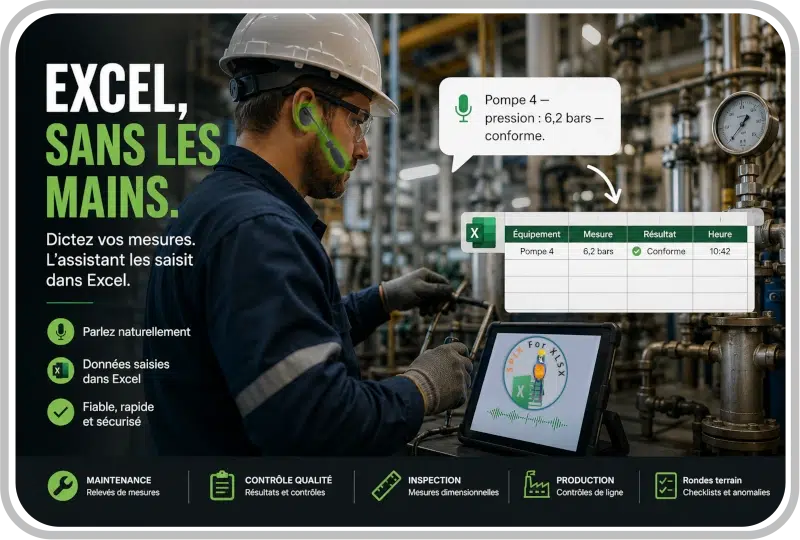
This summer, SPIX industry addressed the role of frontline workers in shaping the digital transformation of industry! SPIX is offering a more practical series for the fall: Excel without the hands!
Even if no one wants to admit it, Excel is still the best friend of manufacturers and the worst nightmare of field operators. This new 6-episode series explores the rationale behind using hands-free Excel, the expected benefits, and the potential impact on industrial processes.
The goal is to understand how to generate value by freeing up the hands of operators who use Excel in their daily work.
Episode 1 :
a voice interface for your Excel-based industrial processes
Excel is software used by more than 50% of manufacturers in France. Even with the deployment of MES, CMMS, ERP, FSM software, etc., Excel still finds its place for simple or complex industrial processes, in large industrial groups as well as in SMEs and mid-sized companies.
In the field, Excel is often used by:
- production operators;
- maintenance technicians;
- quality controllers;
- logistics specialists;
- workshop managers;
- watchman and shift supervisor
- inventory teams;
- team leaders.
In this new 6-episode series, SPIX will help you understand the rationale behind using hands-free Excel, the expected benefits, and the potential impact on your industrial processes. In short, how to generate value by freeing the hands of field operators who use Excel daily.
The conclusion is that hands-free Excel leads to increased productivity, quality, and operator satisfaction thanks to more natural and reliable data entry. Hands-free Excel also means less keyboard/mouse manipulation, fewer interruptions, and fewer low-value tasks.
Episode 2 :
Excel, hands-free: motivations
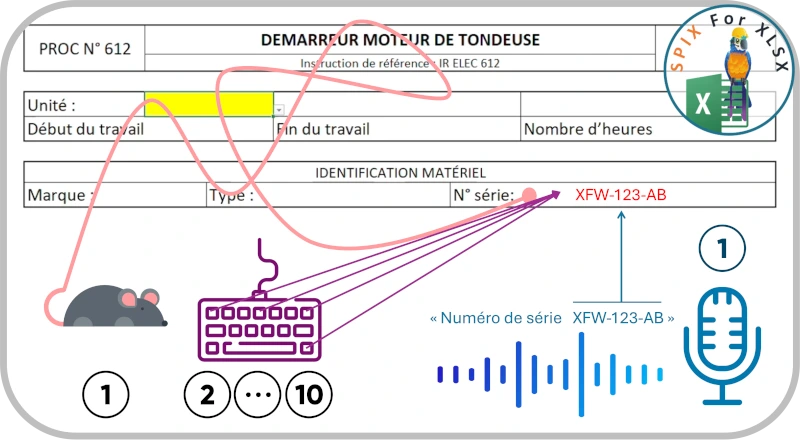
In industry, Excel is widely used to fill out control, reporting, or inspection forms. The basic principle:
- a “description” box,
- a “value to be entered” field.
- all repeated “N” times…
In traditional use , the operator must (often) remove their gloves, find the correct box to fill in with the mouse, and then type the requested information on a keyboard.
On a simple case of reference number: 10 operations.
When using voice commands , the operator keeps their gloves on and speaks the description and the value to be entered in a natural way.
In the example “Serial number XFW-123-AB”: 1 operation.
The motivation is based on the value generated by SPIX’s voice interface for Excel:
- fewer task interruptions for the operator, thanks to a smoother integration of the “reporting” part into their workflow.
- better real-time traceability of field information, because information is recorded as it is done and not at the end of the task or the day.
- reduction of time spent entering information in Excel, thanks to the simplification of the human-Excel interface (reduction of the number of steps or clicks).
- interface validated by operators and by industrialists (field and methods office) so that voice in Excel is a useful, usable and acceptable tool.
Testimony : ” Every Excel entry that takes 30 seconds on the keyboard can become a voice action in just a few seconds. Multiply that saving by hundreds of entries per day. ”
Episode 3 :
Freeing field operators from the inherent constraints of Excel
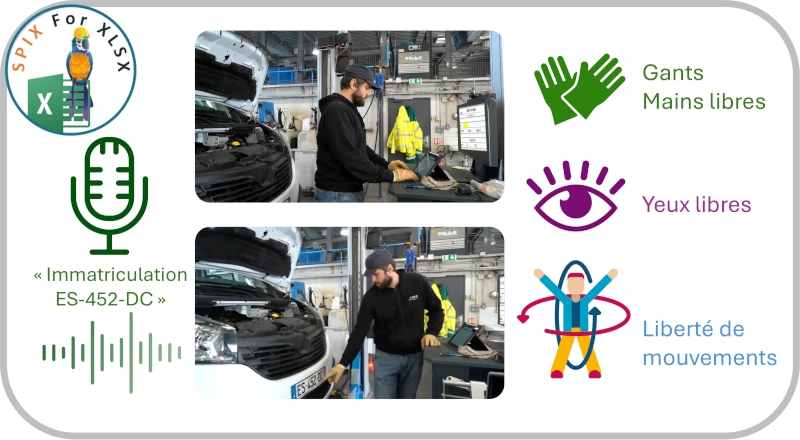
The major difference between someone working in an office environment with Excel on their large curved screen and a field operator is precisely the absence of an office! The consequences for the operational usability of Excel are significant.
Field operators often have their hands and eyes occupied and frequently need to move around. These conditions are highly unfavorable for using software like Excel, which relies on a keyboard and mouse, and viewing a screen. Have you ever tried filling out an Excel spreadsheet on a tablet while wearing gloves?
Using Excel by voice with the SPIX assistant allows you to:
- Keep your hands free : voice interaction allows you to navigate and complete an Excel spreadsheet by voice, without touching the screen, keyboard or mouse.
- freeing the eyes to restore freedom of movement : the screen is no longer an imperative constraint, data entry in Excel can be done without visual feedback, by dialogue and voice validation only.
The value generated by the SPIX voice interface for Excel:
- a time saving in the reporting of field data, thanks to the reduction in the number of trips between the location where the task is performed and the computer workstation.
- a gain in safety at the workstation, the operator does not need to remove his gloves, and therefore he no longer forgets them next to the computer workstation.
- improved comfort for the operator, who limits their movements, maintains a working position, and thus reduces the risk of musculoskeletal disorders.
Episode 4 :
Industrial benefits of a SPIX voice interface for Excel: hands-free!
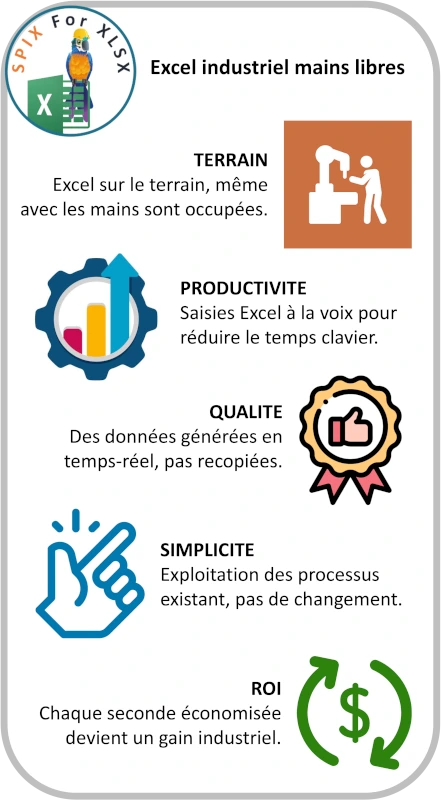
The two previous episodes outlined the motivations and value offered by the SPIX voice interface for Excel. However, this interface is not free; manufacturers must quickly identify benefits to justify the investment.
The gains observed by manufacturers who have already adopted the SPIX voice interface for Excel are:
Field : to enable optimal use of Excel in the field, by removing the classic constraints of mouse, keyboard, screen.
Productivity : reducing the time required to enter information expected in the field, reducing the number of steps to enter information, reducing trips to the computer station, maintaining working posture.
Quality : ensuring the collection of critical field data in real time, eliminating data re-entry or double entry.
Simplicity : no changes to existing processes, no modification of data flows, use of existing Excel files as is (this is the subject of the last 2 episodes!).
Rapid ROI : Optimal use of Excel in the field, increased productivity through time savings on information entry, increased quality of entered information, and the simplicity of deploying the SPIX interface for Excel guarantee a very rapid ROI of the solution.
Installation: 1 month,
Initial earnings: 1 month.
| Interlocutor | Expected Gain |
| Industrial Management | Productivity and time saved |
| Factory manager | Streamlining field operations |
| Production Manager | Less data entry, more time spent on production |
| Quality | Immediate data entry + traceability + error reduction |
| Maintenance | Hands-free operation + input during the procedure |
| Logistics | Faster inventories and movements |
| IT Department | Enhancing existing resources without replacing Excel |
| Financial management | Measurable ROI |
| HR / Training | Ease of use and reduced cognitive load |
| Operators | Less keyboard, fewer steps, more simplicity |
Why are all these gains possible? Because experienced employees are extremely efficient in their jobs but less adept at navigating complex computer interfaces. Voice technology allows them to adapt the computer interface to their natural way of working.
“SPIX for Excel adapts to the operator, rather than the operator to Excel.”
Episode 5 :
Excel, hands-free: from the methods office to the workshop
The next 2 episodes are for specialists… a little bit of method and a little bit of process is always good.
We begin with the methods, which required time and expertise to validate Excel forms for specific tasks within the company. These forms contain business logic: critical values, formulas, and validation criteria. This is what we call “business logic.”
One of the obstacles to leaving Excel to move to a “real” MES is precisely the know-how that exists in existing forms.
SPIX offers an approach that combines the best of both worlds:
- Keep the existing Excel forms, without changing the files, data flows, or validation criteria.
- Add a voice interface , without modifying file structures, while taking advantage of voice interactions with advanced interaction scenarios.
Thus, the methods office retains
- his Excel files,
- his models,
- his paintings,
- its indicators,
- its existing processes.
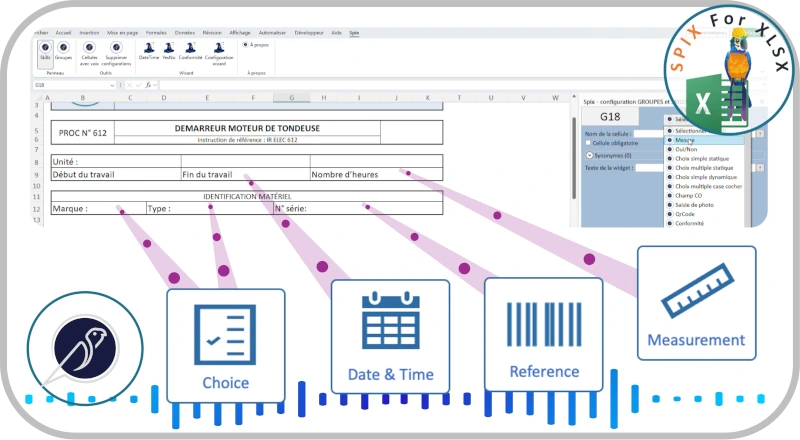
The SPIX voice assistant becomes an interaction layer on top of the existing environment. This interaction layer is made possible by SPIX’s modular, business-oriented SKILLS architecture. Each individual function (taking a measurement, entering a date or reference number, etc.) is structured as a SKILL (voice capability) which has its own dialogue capabilities depending on the environment (with or without visual feedback) and its own speech recognition and synthesis capabilities.
For each cell in an Excel form, a contextual agent allows the association and configuration of SPIX SKILLS according to the data present, without developing a single line of computer code.
Episode 6 :
Excel, hands-free: conclusions on the benefits of the SPIX voice interface
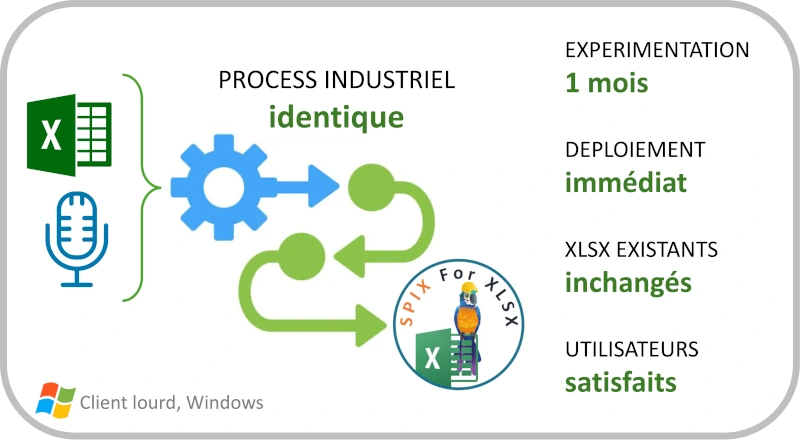
As we have seen in the previous 5 episodes, Excel is ubiquitous in industrial companies, but it is rarely designed to be used comfortably while standing, wearing gloves, in front of a machine or in a noisy environment .
We have seen the advantages (numerous), the expected benefits (high!), as well as how to add a voice interface to exciting Excel forms, without remaking or altering them.
Beyond the Excel files themselves, adding a SPIX voice interface does not involve any changes to existing validation processes or data flows.
“SPIX allows you to add a new interface to your existing tools, without disrupting your processes.”
Adding voice interaction capabilities to existing Excel forms allows for a shift from the following field data generation process:
Observe → take the keyboard → search for the cell → enter → check → return to the activity.
to this one, with 3 fewer time-consuming steps:
Observe → Speak → check → return to the activity.
In conclusion, you already have Excel, you don’t want to replace it yet for many valid reasons, but your operators are having trouble filling in the requested information…
Step into the 21st century, add voice interactions to your Excel forms, and regain control of your field data.
About
SPIX Industry develops the first 100% industry-dedicated voice AI solutions. The Spix intelligent voice assistant is operational in industrial environments. Through voice integration, SPIX Industry puts operators back at the heart of industrial production with assistants specializing in voice guidance, measurement reading, quality control, and real-time structuring of their technical feedback and knowledge.
Contact point
André JOLY – General Manager
Tel.: +33 (0)6 25 17 27 94
Email: andre.joly (at) spix-industry.com
Legal entity
Website: spix-industry.com
LinkedIn: linkedin.com/company/spix-industry
Simsoft3D SAS – 40 rue du Village d’Entreprises – 31670 Labège (France)
“Voice Experience ”, “ SPIX ” and “ SPIX industry ” are registered trademarks of Simsoft3D SAS.
[1] – Excel is a software program from the Microsoft company